Product Design
AI Systems
Sales Industry
Ask Me Anything
Company:
Proshort
Category:
UX Research and Design
My Role:
UX Designer
(Feature Owner)
A continuation of the Ask AI research — translating five trust principles into a production-ready AI system that builds confidence, reduces effort, and drives action.
20+ Managers
Sample
+27% adoption
Impact
2.4× engagement
Impact
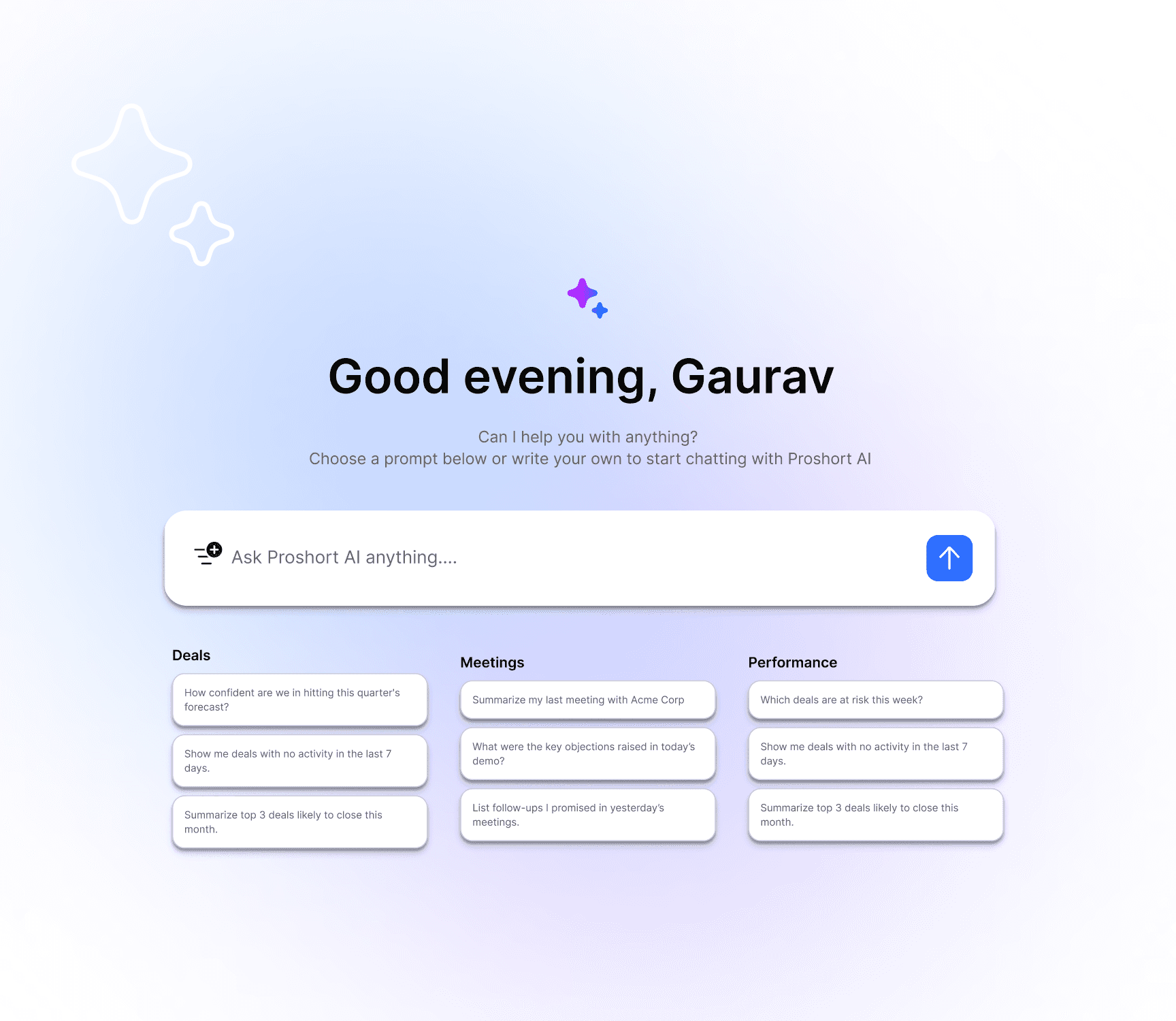
01 — FROM RESEARCH TO PRODUCT
From Insight to Interface
The Ask AI research surfaced five behavioral truths about how people relate to AI: they want reasoning, they want to edit, they distrust over-confident outputs, first interactions are permanent, and behavior beats opinion. This case study is what happened next — turning each finding into a shipped feature.
"AI tools fail not because they're wrong — they fail because users don't trust, control, or act on them."
We reframed AI from an answer generator to a thinking partner embedded in workflow. Every interaction had to do three things: build trust, reduce effort, and drive action.
02 — SYSTEM OVERVIEW
A Five-Layer System
Five layers, one continuous loop. The system isn't a chat interface bolted onto a database — it's a closed loop where every output earns trust through reasoning and every interaction sharpens the next one.
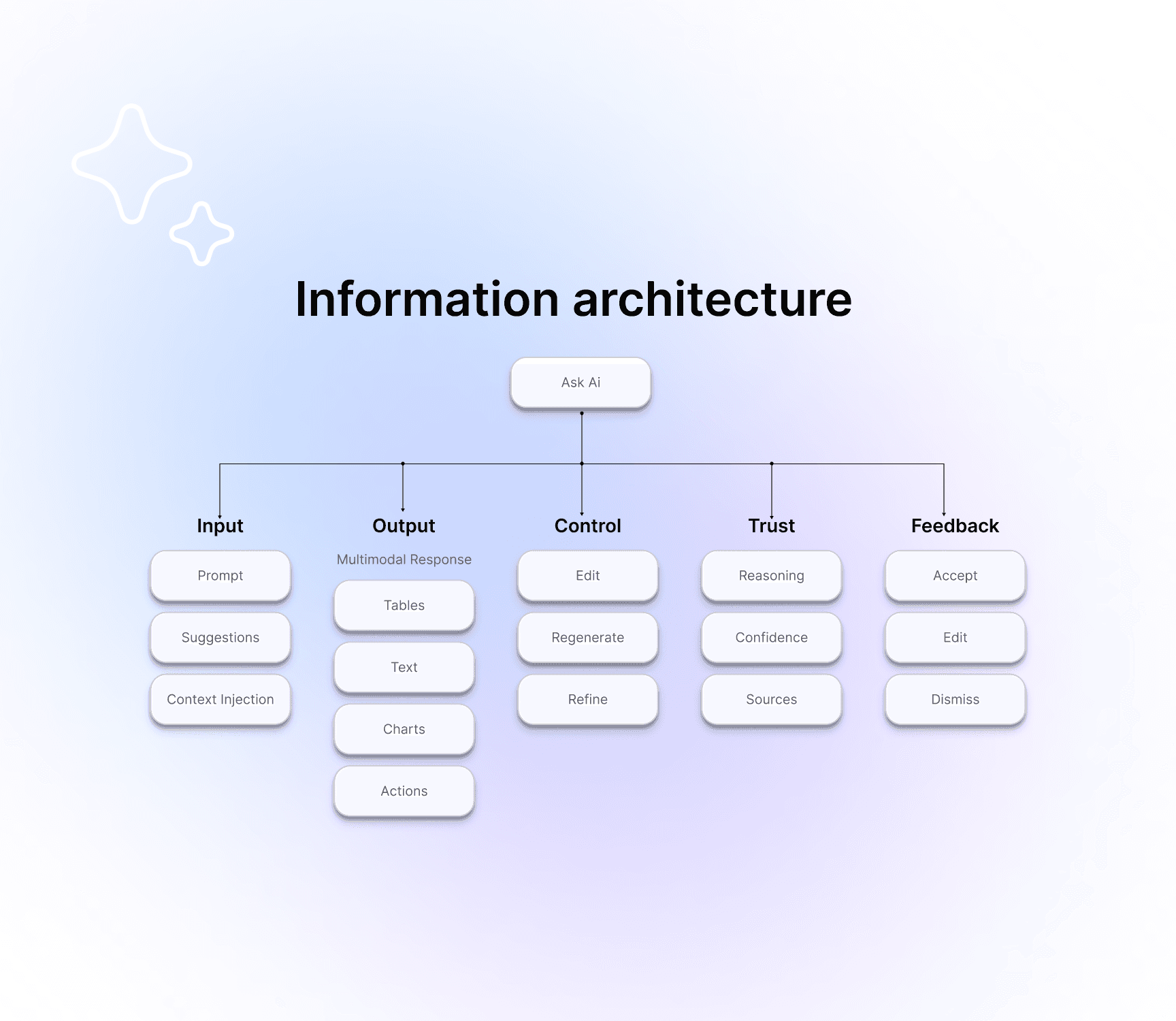
03 — PRINCIPLES → FEATURES
Five Principles, Five Features
Each research finding became a discrete, shippable feature. Together they form a coherent product surface — not five disconnected widgets but one system where reasoning, control, trust, onboarding, and feedback reinforce each other.
01
Show the reasoning, always — Explainability Layer
A "Why this?" toggle exposes step-by-step logic with source-backed reasoning. 73% of users in the research said they wanted reasoning; this layer made it the default, not an extra click.
02
Make every output editable — Draft Mode
Inline editing, rewrite, shorten, tone control, and "regenerate with context." Editable outputs drove 2.4× more engagement than final-only outputs in research, and the production system kept that ratio.
03
Confidence calibration over projection — Trust Layer
High / Medium / Low confidence badges, "I might be wrong" states, and risk indicators. The model is allowed to admit uncertainty — and that admission is what made users actually trust the high-confidence answers.
04
First impressions are permanent — First Interaction Engine
Pre-filled prompts, context-aware suggestions, and an over-engineered first output. We invested disproportionately in the first 60 seconds because users who had a great first interaction returned at 3× the rate of users who didn't.
05
Behavior beats opinion — Feedback System
Track Accepted / Edited / Dismissed silently in the background. The lightweight feedback UI is for the user; the behavioral signal is for the system. Adaptive learning shapes future suggestions without ever asking "was this helpful?"
04 — MULTIMODAL RESPONSE
Output as Action, Not Translation
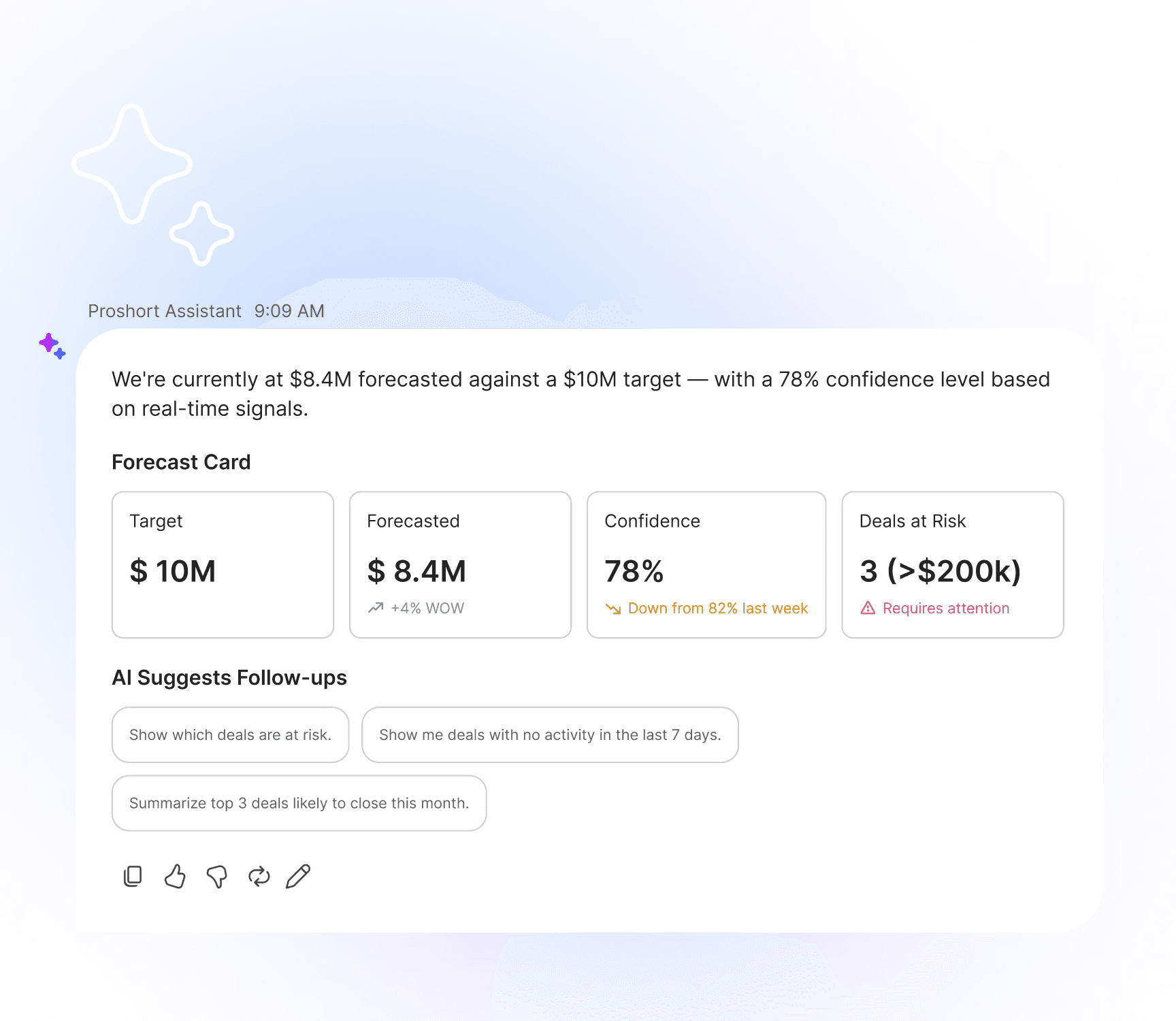
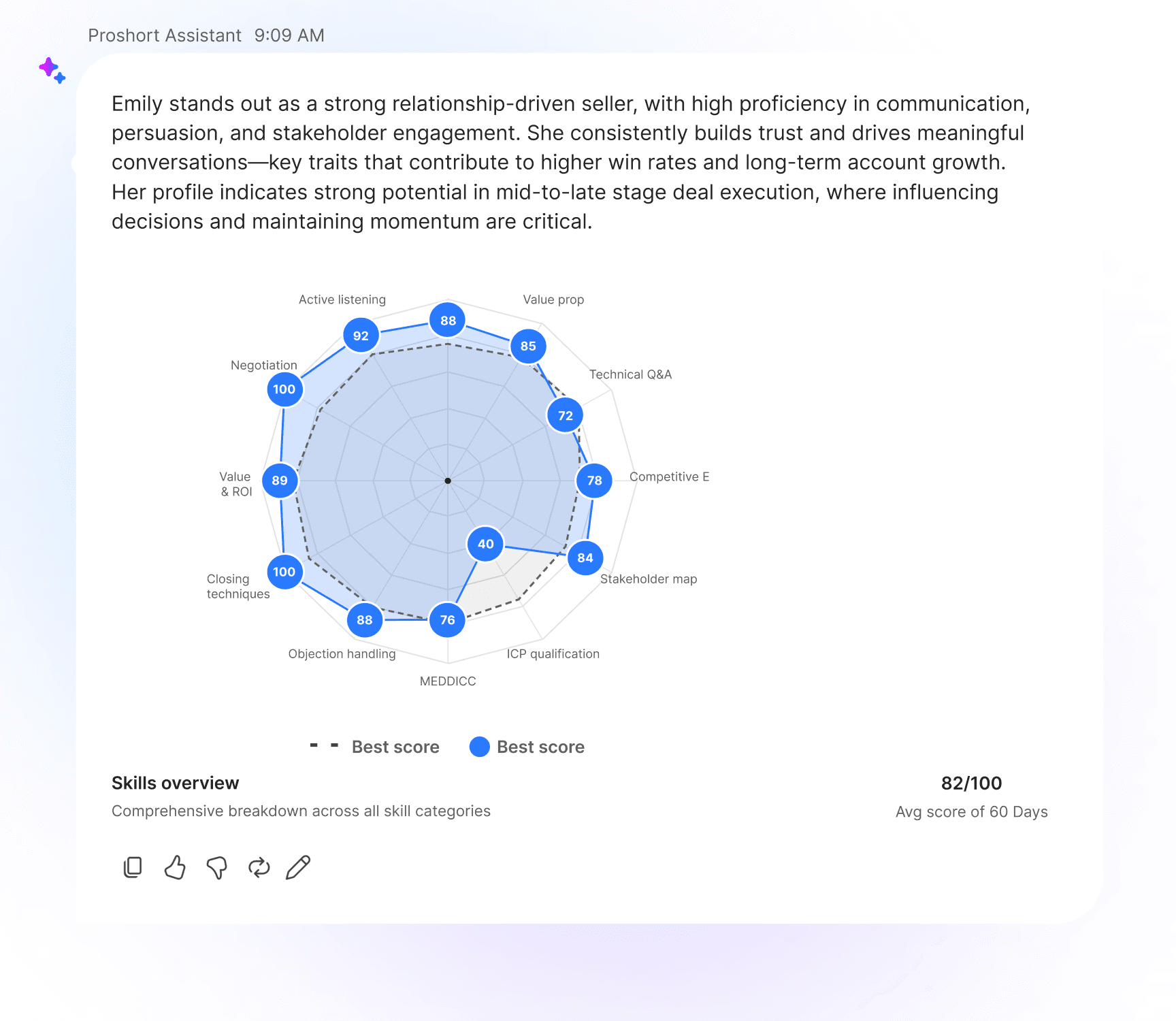
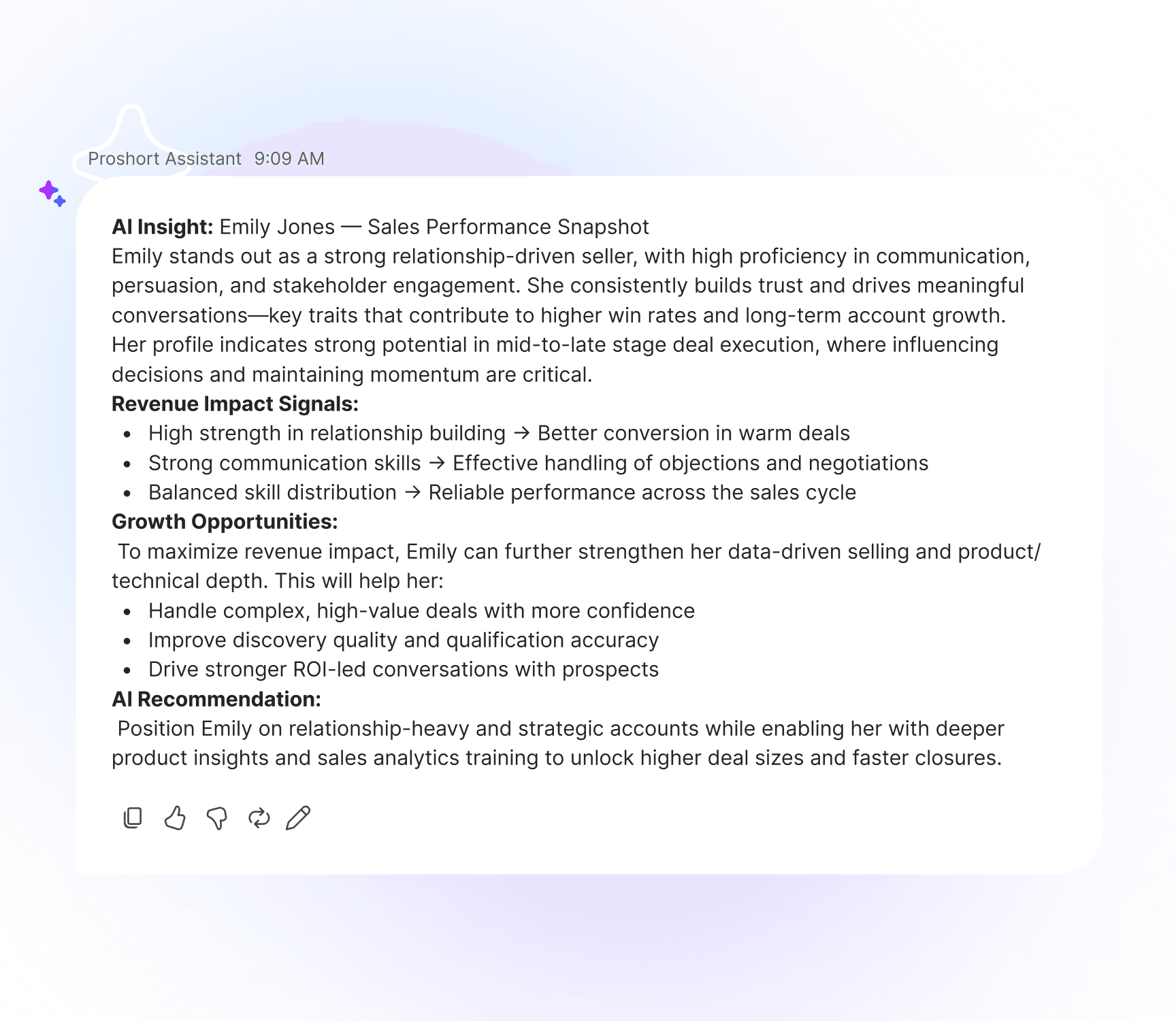
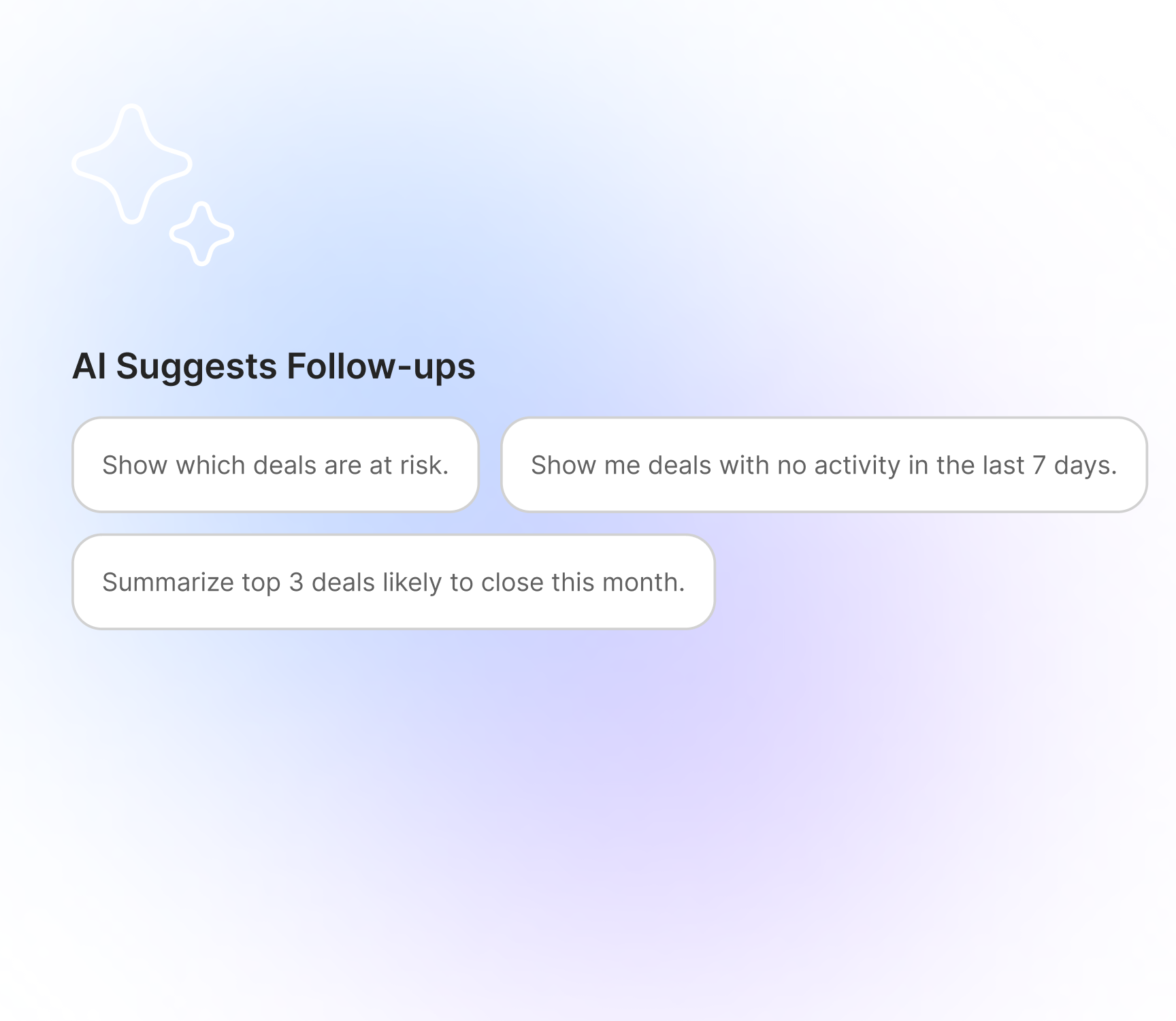
The core differentiator: AI dynamically chooses the best format for understanding. Charts for trends, tables for comparisons, text for explanation, action cards for next steps. Users shouldn't translate AI output into action — AI should already be in the form of action.
A
CHARTS — TRENDS
When the answer is a pattern over time. Editable axes, source highlighting, "Why this chart?" toggle.
B
TABLES — COMPARISONS
When the answer is a set of items to weigh against each other. Sortable, filterable, exportable.
C
ACTIONS — NEXT STEPS
When the answer is "do this." One-tap action cards inline with the response — no copy-paste round-trip.
05 — USER FLOWS
Primary Flow vs Trust Recovery
Two flows we instrumented heavily. The primary path is the happy case. The trust-recovery path matters more — it's what happens when the AI is wrong, and it's where the real product lives.
PRIMARY FLOW
Clicks "Ask AI"
Prompt or suggested input
Multimodal response
Edits / explores reasoning / checks confidence
Takes action → feedback captured
TRUST RECOVERY FLOW
User sees AI output
Low confidence shown upfront
User opens reasoning panel
Edits output inline
Re-evaluates, accepts or rejects
System learns the correction
06 — KEY SCREENS
Seven Surfaces, One System
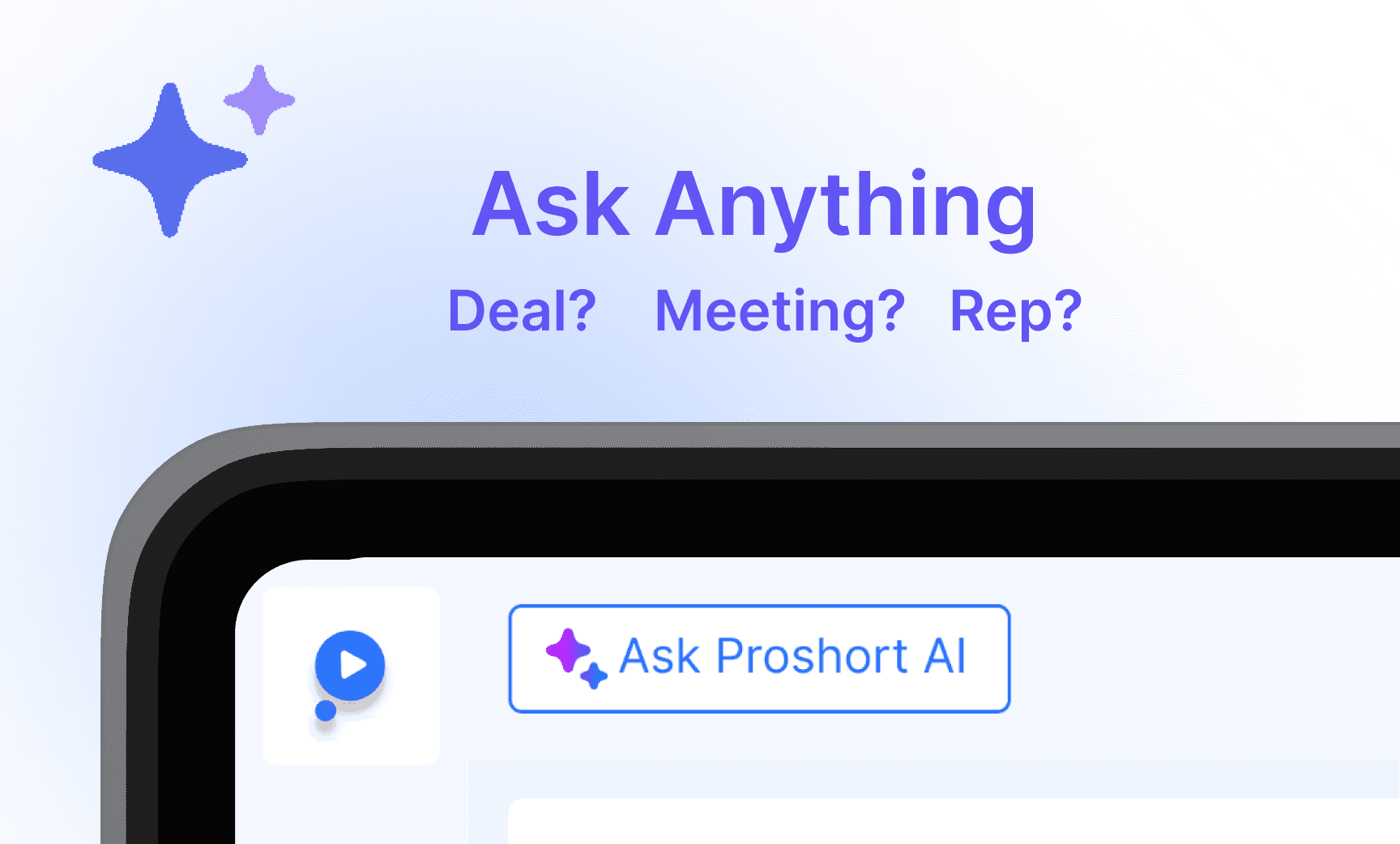
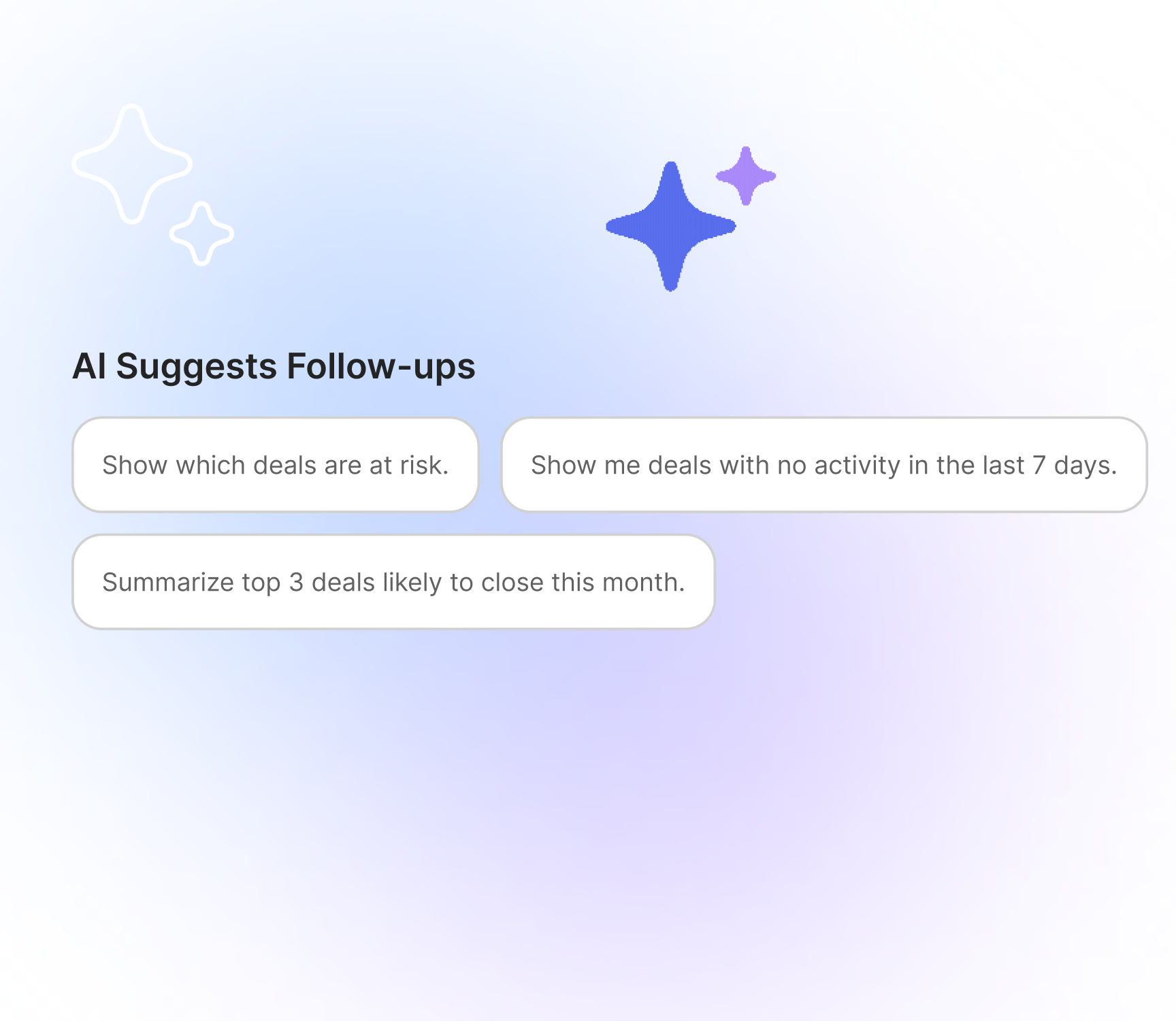
From entry point to feedback loop. Each screen carries the same trust language — confidence states, reasoning toggles, editable outputs — so users move between them without learning a new model each time.
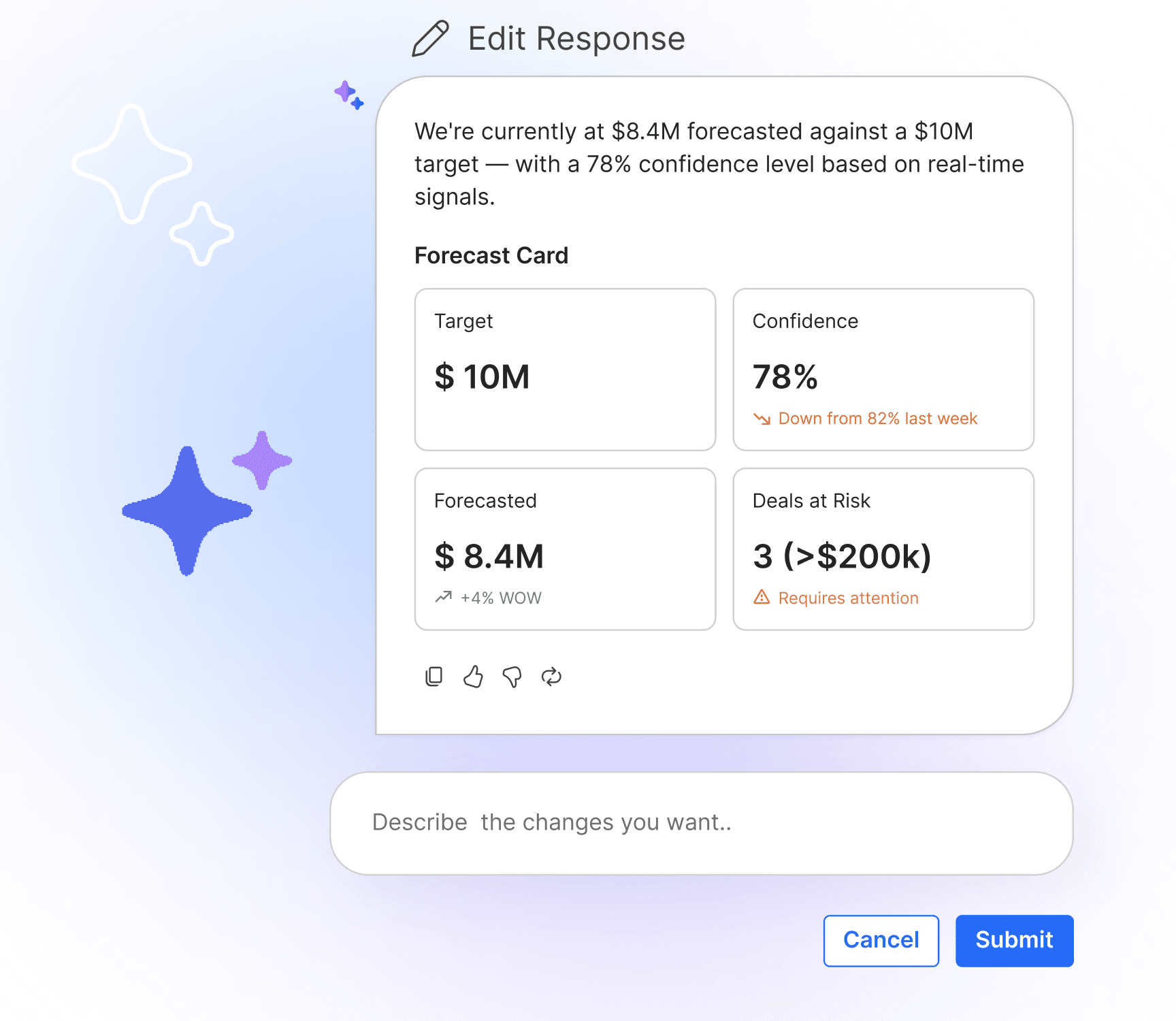
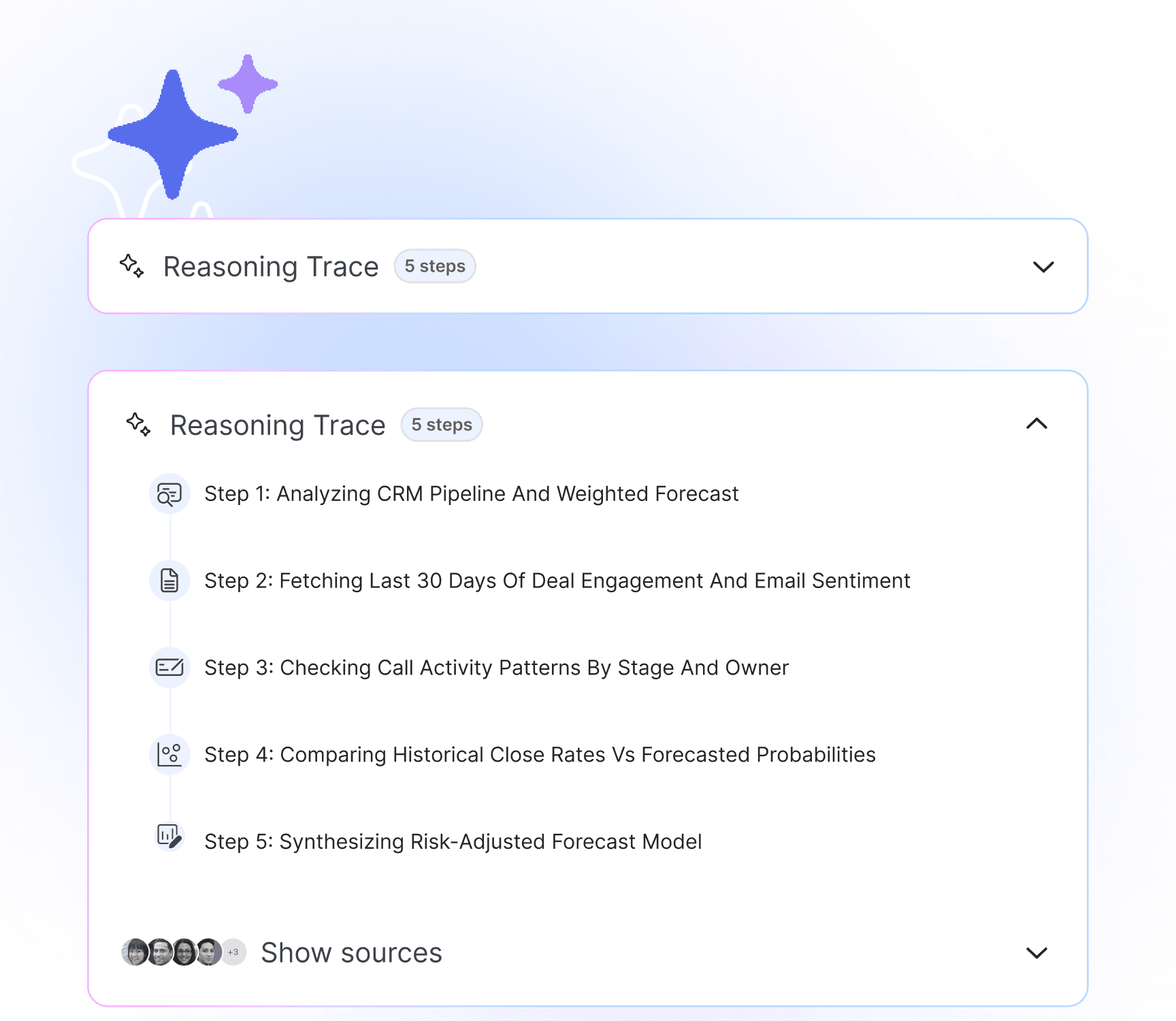
08 — WHAT THIS TAUGHT ME
Lessons That Shaped the System
01
Research has to ship — or it's just an opinion
Each insight from Ask AI Research had to survive a roadmap, sprint planning, and engineering trade-offs. Research findings that can't translate into discrete features don't survive contact with shipping.
02
Format is part of the answer
A correct answer in the wrong format is functionally wrong. Choosing the right output type — chart, table, action — is half the AI design problem; the model's text quality is the other half.
03
Confidence isn't weakness — it's the trust signal
Letting the AI say "I'm not sure" made users trust the times it said it was. Calibrated confidence beat projected confidence in every behavioral metric we tracked.
04
We didn't design an AI feature, we designed a system
The win wasn't any single component. It was that reasoning, control, trust, onboarding, and feedback all spoke the same language. That coherence is what made users return — and what made the AI worth trusting.
07 — IMPACT
From Black Box to Workflow Partner
BEFORE
AI as a black box
Low trust, manual verification
High drop-off after first interaction
Outputs needed translation to action
AFTER
Transparent reasoning + confidence
Editable outputs at every layer
Multimodal — chart, table, action
2.4× engagement, +27% adoption
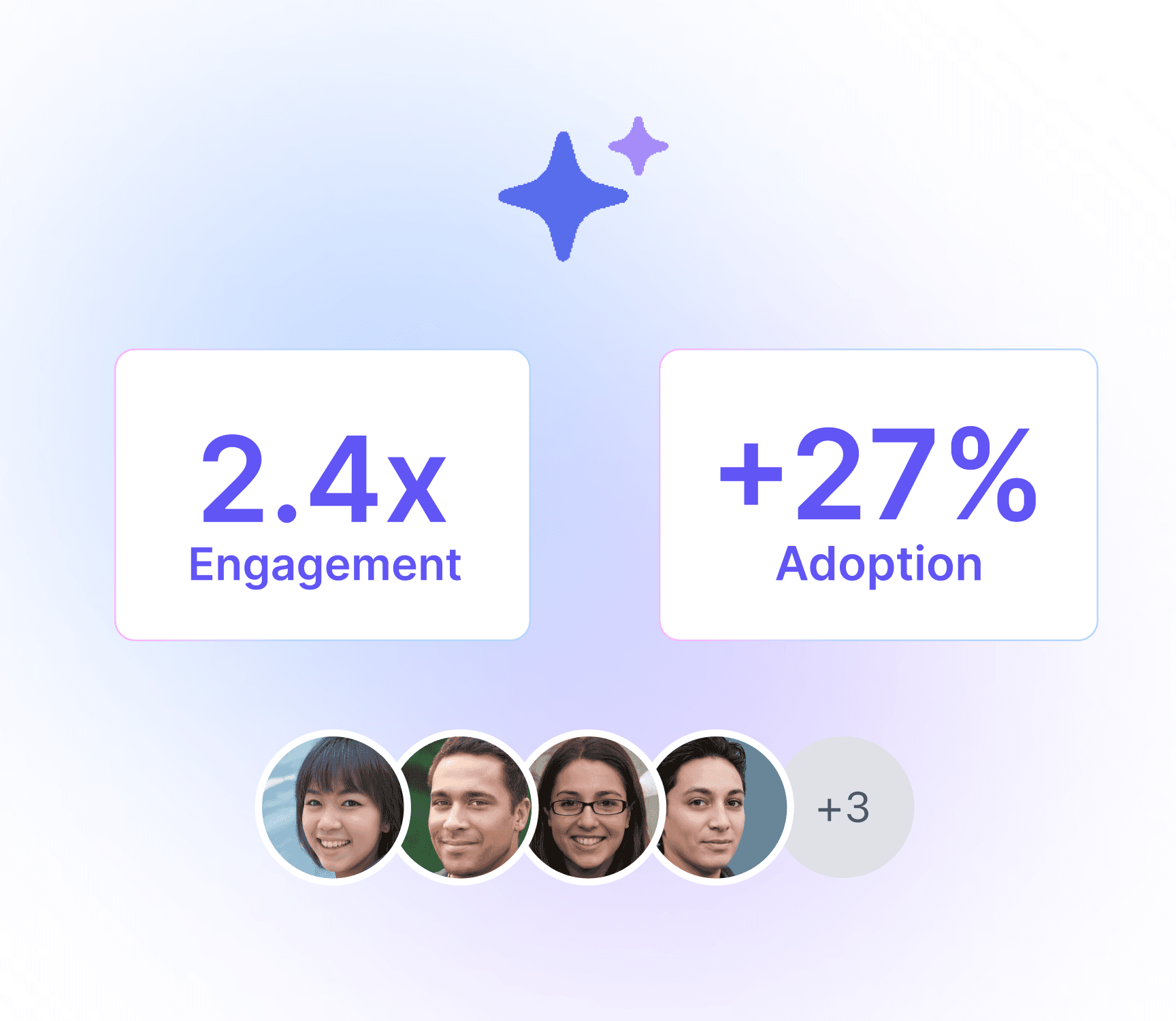
Product Design
AI Systems
Sales Industry
Ask Me Anything
Company:
Proshort
Category:
UX Research and Design
My Role:
UX Designer
(Feature Owner)
A continuation of the Ask AI research — translating five trust principles into a production-ready AI system that builds confidence, reduces effort, and drives action.
20+ Managers
Sample
+27% adoption
Impact
2.4× engagement
Impact
01 — FROM RESEARCH TO PRODUCT
From Insight to Interface
The Ask AI research surfaced five behavioral truths about how people relate to AI: they want reasoning, they want to edit, they distrust over-confident outputs, first interactions are permanent, and behavior beats opinion. This case study is what happened next — turning each finding into a shipped feature.
"AI tools fail not because they're wrong — they fail because users don't trust, control, or act on them."
We reframed AI from an answer generator to a thinking partner embedded in workflow. Every interaction had to do three things: build trust, reduce effort, and drive action.
02 — SYSTEM OVERVIEW
A Five-Layer System
Five layers, one continuous loop. The system isn't a chat interface bolted onto a database — it's a closed loop where every output earns trust through reasoning and every interaction sharpens the next one.
03 — PRINCIPLES → FEATURES
Five Principles, Five Features
Each research finding became a discrete, shippable feature. Together they form a coherent product surface — not five disconnected widgets but one system where reasoning, control, trust, onboarding, and feedback reinforce each other.
01
Show the reasoning, always — Explainability Layer
A "Why this?" toggle exposes step-by-step logic with source-backed reasoning. 73% of users in the research said they wanted reasoning; this layer made it the default, not an extra click.
02
Make every output editable — Draft Mode
Inline editing, rewrite, shorten, tone control, and "regenerate with context." Editable outputs drove 2.4× more engagement than final-only outputs in research, and the production system kept that ratio.
03
Confidence calibration over projection — Trust Layer
High / Medium / Low confidence badges, "I might be wrong" states, and risk indicators. The model is allowed to admit uncertainty — and that admission is what made users actually trust the high-confidence answers.
04
First impressions are permanent — First Interaction Engine
Pre-filled prompts, context-aware suggestions, and an over-engineered first output. We invested disproportionately in the first 60 seconds because users who had a great first interaction returned at 3× the rate of users who didn't.
05
Behavior beats opinion — Feedback System
Track Accepted / Edited / Dismissed silently in the background. The lightweight feedback UI is for the user; the behavioral signal is for the system. Adaptive learning shapes future suggestions without ever asking "was this helpful?"
04 — MULTIMODAL RESPONSE
Output as Action, Not Translation
The core differentiator: AI dynamically chooses the best format for understanding. Charts for trends, tables for comparisons, text for explanation, action cards for next steps. Users shouldn't translate AI output into action — AI should already be in the form of action.
A
CHARTS — TRENDS
When the answer is a pattern over time. Editable axes, source highlighting, "Why this chart?" toggle.
B
TABLES — COMPARISONS
When the answer is a set of items to weigh against each other. Sortable, filterable, exportable.
C
ACTIONS — NEXT STEPS
When the answer is "do this." One-tap action cards inline with the response — no copy-paste round-trip.
05 — USER FLOWS
Primary Flow vs Trust Recovery
Two flows we instrumented heavily. The primary path is the happy case. The trust-recovery path matters more — it's what happens when the AI is wrong, and it's where the real product lives.
PRIMARY FLOW
Clicks "Ask AI"
Prompt or suggested input
Multimodal response
Edits / explores reasoning / checks confidence
Takes action → feedback captured
TRUST RECOVERY FLOW
User sees AI output
Low confidence shown upfront
User opens reasoning panel
Edits output inline
Re-evaluates, accepts or rejects
System learns the correction
06 — KEY SCREENS
Seven Surfaces, One System
From entry point to feedback loop. Each screen carries the same trust language — confidence states, reasoning toggles, editable outputs — so users move between them without learning a new model each time.
08 — WHAT THIS TAUGHT ME
Lessons That Shaped the System
01
Research has to ship — or it's just an opinion
Each insight from Ask AI Research had to survive a roadmap, sprint planning, and engineering trade-offs. Research findings that can't translate into discrete features don't survive contact with shipping.
02
Format is part of the answer
A correct answer in the wrong format is functionally wrong. Choosing the right output type — chart, table, action — is half the AI design problem; the model's text quality is the other half.
03
Confidence isn't weakness — it's the trust signal
Letting the AI say "I'm not sure" made users trust the times it said it was. Calibrated confidence beat projected confidence in every behavioral metric we tracked.
04
We didn't design an AI feature, we designed a system
The win wasn't any single component. It was that reasoning, control, trust, onboarding, and feedback all spoke the same language. That coherence is what made users return — and what made the AI worth trusting.
07 — IMPACT
From Black Box to Workflow Partner
BEFORE
AI as a black box
Low trust, manual verification
High drop-off after first interaction
Outputs needed translation to action
AFTER
Transparent reasoning + confidence
Editable outputs at every layer
Multimodal — chart, table, action
2.4× engagement, +27% adoption
Product Design
AI Systems
Sales Industry
Ask Me Anything
Company:
Proshort
Category:
UX Research and Design
My Role:
UX Designer
(Feature Owner)
A continuation of the Ask AI research — translating five trust principles into a production-ready AI system that builds confidence, reduces effort, and drives action.
20+ Managers
Sample
+27% adoption
Impact
2.4× engagement
Impact
01 — FROM RESEARCH TO PRODUCT
From Insight to Interface
The Ask AI research surfaced five behavioral truths about how people relate to AI: they want reasoning, they want to edit, they distrust over-confident outputs, first interactions are permanent, and behavior beats opinion. This case study is what happened next — turning each finding into a shipped feature.
"AI tools fail not because they're wrong — they fail because users don't trust, control, or act on them."
We reframed AI from an answer generator to a thinking partner embedded in workflow. Every interaction had to do three things: build trust, reduce effort, and drive action.
02 — SYSTEM OVERVIEW
A Five-Layer System
Five layers, one continuous loop. The system isn't a chat interface bolted onto a database — it's a closed loop where every output earns trust through reasoning and every interaction sharpens the next one.
03 — PRINCIPLES → FEATURES
Five Principles, Five Features
Each research finding became a discrete, shippable feature. Together they form a coherent product surface — not five disconnected widgets but one system where reasoning, control, trust, onboarding, and feedback reinforce each other.
01
Show the reasoning, always — Explainability Layer
A "Why this?" toggle exposes step-by-step logic with source-backed reasoning. 73% of users in the research said they wanted reasoning; this layer made it the default, not an extra click.
02
Make every output editable — Draft Mode
Inline editing, rewrite, shorten, tone control, and "regenerate with context." Editable outputs drove 2.4× more engagement than final-only outputs in research, and the production system kept that ratio.
03
Confidence calibration over projection — Trust Layer
High / Medium / Low confidence badges, "I might be wrong" states, and risk indicators. The model is allowed to admit uncertainty — and that admission is what made users actually trust the high-confidence answers.
04
First impressions are permanent — First Interaction Engine
Pre-filled prompts, context-aware suggestions, and an over-engineered first output. We invested disproportionately in the first 60 seconds because users who had a great first interaction returned at 3× the rate of users who didn't.
05
Behavior beats opinion — Feedback System
Track Accepted / Edited / Dismissed silently in the background. The lightweight feedback UI is for the user; the behavioral signal is for the system. Adaptive learning shapes future suggestions without ever asking "was this helpful?"
04 — MULTIMODAL RESPONSE
Output as Action, Not Translation
The core differentiator: AI dynamically chooses the best format for understanding. Charts for trends, tables for comparisons, text for explanation, action cards for next steps. Users shouldn't translate AI output into action — AI should already be in the form of action.
A
CHARTS — TRENDS
When the answer is a pattern over time. Editable axes, source highlighting, "Why this chart?" toggle.
B
TABLES — COMPARISONS
When the answer is a set of items to weigh against each other. Sortable, filterable, exportable.
C
ACTIONS — NEXT STEPS
When the answer is "do this." One-tap action cards inline with the response — no copy-paste round-trip.
05 — USER FLOWS
Primary Flow vs Trust Recovery
Two flows we instrumented heavily. The primary path is the happy case. The trust-recovery path matters more — it's what happens when the AI is wrong, and it's where the real product lives.
PRIMARY FLOW
Clicks "Ask AI"
Prompt or suggested input
Multimodal response
Edits / explores reasoning / checks confidence
Takes action → feedback captured
TRUST RECOVERY FLOW
User sees AI output
Low confidence shown upfront
User opens reasoning panel
Edits output inline
Re-evaluates, accepts or rejects
System learns the correction
06 — KEY SCREENS
Seven Surfaces, One System
From entry point to feedback loop. Each screen carries the same trust language — confidence states, reasoning toggles, editable outputs — so users move between them without learning a new model each time.
08 — WHAT THIS TAUGHT ME
Lessons That Shaped the System
01
Research has to ship — or it's just an opinion
Each insight from Ask AI Research had to survive a roadmap, sprint planning, and engineering trade-offs. Research findings that can't translate into discrete features don't survive contact with shipping.
02
Format is part of the answer
A correct answer in the wrong format is functionally wrong. Choosing the right output type — chart, table, action — is half the AI design problem; the model's text quality is the other half.
03
Confidence isn't weakness — it's the trust signal
Letting the AI say "I'm not sure" made users trust the times it said it was. Calibrated confidence beat projected confidence in every behavioral metric we tracked.
04
We didn't design an AI feature, we designed a system
The win wasn't any single component. It was that reasoning, control, trust, onboarding, and feedback all spoke the same language. That coherence is what made users return — and what made the AI worth trusting.
07 — IMPACT
From Black Box to Workflow Partner
BEFORE
AI as a black box
Low trust, manual verification
High drop-off after first interaction
Outputs needed translation to action
AFTER
Transparent reasoning + confidence
Editable outputs at every layer
Multimodal — chart, table, action
2.4× engagement, +27% adoption